
Rocket Control Motherboard: Difference between revisions
From Stationeers Community Wiki
More actions
Emilgardis (talk | contribs) Use proper/better category -> IC10 |
Update infobox |
||
| Line 1: | Line 1: | ||
{{Itembox | {{Itembox | ||
| name | | name = Rocket Control Motherboard | ||
| image | | image = [[File:MotherboardRockets.png]] | ||
| | | stacks = 1 | ||
| recipe_machine1 = Electronics Printer | |||
| | | recipe_cost1 = 5g [[Electrum]], 5g [[Solder]] | ||
| | | prefabhash = -806986392 | ||
| prefabname = MotherboardRockets | |||
| slot_class = SlotClass.Motherboard | |||
| sorting_class = SortingClass.Default | |||
}} | }} | ||
==Description== | ==Description== | ||
Connected to a [[Computer]] The Rocket Motherboard user interface has three main tabs. | Connected to a [[Computer]] The Rocket [[Motherboard]] user interface has three main tabs. | ||
===UI tabs=== | ===UI tabs=== | ||
* The "Rocket" tab allows you to see and control devices, in a much more graphical way, which is important since when in space, you can't use your tablet to debug issues. | * The "Rocket" tab allows you to see and control devices, in a much more graphical way, which is important since when in space, you can't use your [[tablet]] to debug issues. | ||
* The "Map" tab lets you see all of the locations you’ve explored, and see rockets moving around in space. | * The "Map" tab lets you see all of the locations you’ve explored, and see rockets moving around in space. | ||
* The "Location" tab lets you see specific information about a location, if it has links to other locations, if it can spawn minable asteroids, or if it has resources to mine. It's also where you will start rocket actions, such as mining and scanning, which interact with the location. | * The "Location" tab lets you see specific information about a location, if it has links to other locations, if it can spawn minable asteroids, or if it has resources to mine. It's also where you will start rocket actions, such as mining and scanning, which interact with the location. | ||
Latest revision as of 15:17, 9 April 2026
 | |
| Properties | |
|---|---|
| Stacks | No |
| Recipes | |
| Electronics Printer | 5g Electrum, 5g Solder |
| Logic | |
| Item Hash | -806986392 |
| Item Name | MotherboardRockets |
| Logic Classes |
SlotClass.Motherboard SortingClass.Default |
Description
Connected to a Computer The Rocket Motherboard user interface has three main tabs.
UI tabs
- The "Rocket" tab allows you to see and control devices, in a much more graphical way, which is important since when in space, you can't use your tablet to debug issues.
- The "Map" tab lets you see all of the locations you’ve explored, and see rockets moving around in space.
- The "Location" tab lets you see specific information about a location, if it has links to other locations, if it can spawn minable asteroids, or if it has resources to mine. It's also where you will start rocket actions, such as mining and scanning, which interact with the location.
Gallery
-
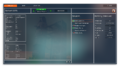 "Rocket" tab.
 -
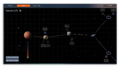 "Map" tab.
 -
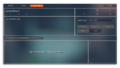 "Location" tab.


